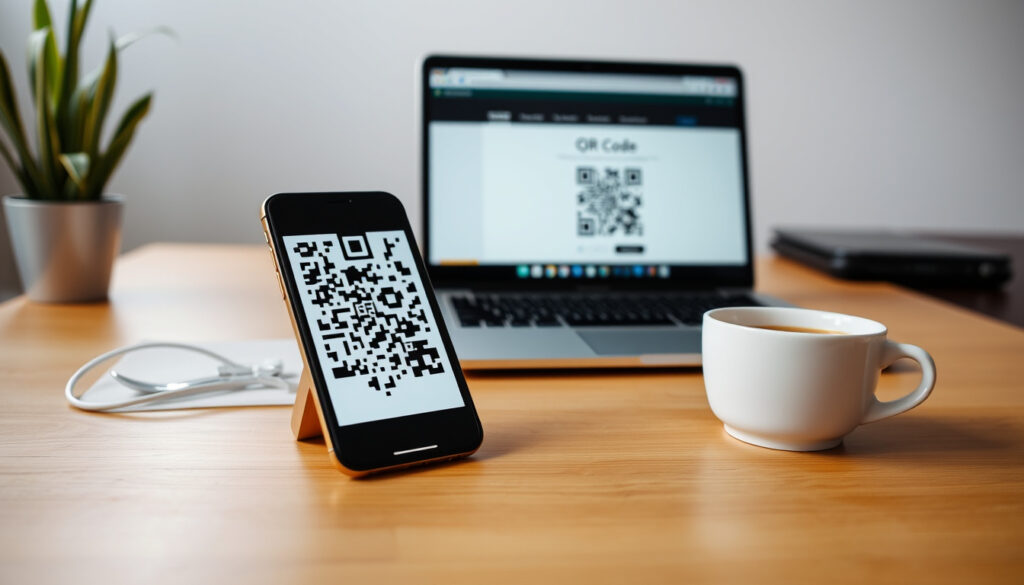
How to Create a QR Code – Free Tools and Step-by-Step Guide
Quick response codes, better known as QR codes, have become a standard way to share links, contact details, and even Wi‑Fi credentials without typing a single character. Creating one is free, takes seconds, and requires no design skills — but the method you choose depends on whether you need a permanent link, a branded marketing asset, or a code that can be updated later. This guide breaks down the most common tools and workflows, from design platforms to browser features, so you can pick the one that fits your task.
QR codes work by encoding data into a grid of black and white squares that smartphones read with their camera. Modern phones running iOS or Android scan them natively, no extra app needed. For anyone looking to generate a code, the options range from built‑in browser functions to standalone generators that allow deep customization.
The key decision is between static and dynamic codes. Static codes are permanent and free; once created, they cannot be changed. Dynamic codes can be edited after creation and often include scan tracking, but they may require a subscription. Understanding this difference helps you select the right tool from the start.
How to Create a Free QR Code: Step-by-Step Guide
Quick Overview: Creating QR Codes
To create a QR code for a link, the basic workflow is the same across almost every generator: copy the URL, paste it into the tool, adjust any design options, and download the image. The result is a static code that will work forever because the destination is hard‑coded into the pattern.
According to the documentation from Canva’s QR code help page, static codes cannot be updated later. If the URL changes, you must generate a new code. That is fine for permanent materials such as packaging or business cards, but less convenient for campaigns that may shift over time.
- Static QR codes are free and never expire; dynamic ones allow tracking and editing but may require a subscription.
- Canva is ideal for branding: add logos and integrate QR codes into designs easily.
- Microsoft Edge offers a one‑click QR code creator for the current webpage.
- Adobe Express provides high‑resolution downloads with no watermark on its free plan.
- QR Code Monkey is a popular standalone tool with advanced customization.
| Feature | Static QR Code | Dynamic QR Code |
|---|---|---|
| Cost | Free | Often paid (subscription) |
| Editable after creation | No | Yes |
| Tracking/analytics | No | Yes |
| Expiration | Never | Set by user or plan |
| Max scans | Unlimited | Depends on plan |
| Common use cases | Links, text, contact | Campaigns, retargeting |
For a free QR code without watermarks, tools like Hovercode and The QR Code Generator (TQRCG) offer dynamic options at no cost. Hovercode’s free tier includes logo customization and editable destination links with no expiration and no scan cap, according to its product page.
How to Create a QR Code in Canva (with Logo)
Canva’s built‑in QR generator is integrated into the design platform, making it simple to add a scannable code to a poster, flyer, or social graphic. The workflow, as described on Canva’s support site, takes only a few clicks.
Step-by-step in Canva
- Open your Canva design or create a new one.
- In the left sidebar, go to Apps and search for QR Code.
- Choose the QR code app in Canva.
- Enter the URL you want the code to open.
- Generate the QR code and place it in your design.
- Download your design as PNG, JPG, SVG, or PDF.
Canva’s built‑in generator creates static QR codes only. Canva’s own help text says the code cannot be updated after creation, so if the destination changes you need a new QR code. For dynamic codes inside Canva, you can use the Canva + Hovercode app which adds editing, tracking, and logo support.
If you want a logo inside the QR code, a dedicated generator is usually better than Canva’s built‑in tool. Hovercode provides free dynamic codes with logo customization, and QR Code Monkey (also recommended by txtimpact) allows logo uploads, gradient colors, custom eye shapes, and SVG export for static codes.
How to Create a QR Code in Microsoft Word and Edge
Microsoft Edge includes a built‑in QR code creator that can generate a scannable link for any open webpage. According to a discussion on Microsoft’s community forum, the browser’s right‑click feature is the simplest way to share a URL without third‑party tools.
Microsoft Edge method
- Right‑click anywhere on the webpage you want to share.
- Select Create QR code from the context menu.
- A small panel appears showing the QR code; click Download to save it as an image.
Microsoft Word does not have a native QR generator. The practical approach is to create the QR code using a free tool such as The QR Code Generator or QR Code Monkey, then insert the downloaded image into your Word document. For printed materials, download the code as an SVG or PDF to preserve quality.
When embedding QR codes in print, ensure high contrast (dark on light) and test scanning at the intended distance. Leave a quiet zone — a white border — around the code. Avoid placing text or graphics too close to the edges.
How to Create a QR Code Using Other Popular Generators
Several other free tools fill specific niches: PDF links, Wi‑Fi credentials, and high‑volume business use. Each has strengths that depend on the type of content you want to encode.
QR Code Monkey
This tool is designed for highly customizable static codes. It supports URL, text, vCard, Wi‑Fi, and email. Users can upload a logo, change eye shapes, and export in PNG, SVG, PDF, or EPS. According to txtimpact’s roundup, it is one of the best free options for branded packaging and flyers.
Hovercode
Hovercode offers free dynamic QR codes with no expiration and no scan caps. Its feature set includes logo upload, custom colors, editable destination links, and analytics. The Hovercode product page states that the free tier is suitable for business use and never expires.
Adobe Express
Adobe provides a free QR code generator within its Express design tool. It allows customization of colors and logos, and downloads come in high resolution without watermarks on the free plan. Its help center describes QR codes as a quick way to share information without typing a URL.
Wix QR Code Generator
Wix’s free tool is step‑by‑step: choose content type, enter details, customize, and download. It is business‑oriented and integrates with the Wix website builder. Dynamic codes with tracking are available through paid plans.
How Did QR Codes Evolve Over Time?
- – QR code invented by Denso Wave for tracking automotive parts.
- – Adoption by smartphones; QR code readers become common.
- – iOS 11 native camera scans QR codes without third‑party app.
- – QR codes surge during pandemic for contactless menus, check‑ins.
- – Built‑in generators in browsers (Edge, Chrome) and design tools (Canva) simplify creation for all users.
What Is Known and Unknown About QR Code Creation?
| Established information | Information that remains unclear |
|---|---|
| Free static QR codes never expire (once generated, they remain usable). | Dynamic QR code availability and pricing vary by generator. |
| Most modern smartphones can scan QR codes directly from the camera app. | Some free generators may insert watermarks or limit download resolution. |
| All major tools (Canva, Adobe, QR Code Monkey) generate standard QR codes that work universally. | Scan reliability depends on print size, contrast, and lighting; optimal size is at least 1 inch (2.5 cm). |
Why QR Codes Matter Today
QR codes are now a ubiquitous tool for bridging physical and digital experiences. Creating one has become trivial, but choosing the right method depends on your goal: quick link sharing, branded marketing, or campaign tracking. For personal use, a free static QR code from Adobe Express or QR Code Monkey works. For business, consider dynamic codes from Wix or dedicated platforms for analytics.
When embedding QR codes in print, ensure high contrast (dark on light) and test scanning at intended distance. Leave a quiet zone (white border) around the code. Security best practices are becoming more important as usage grows – always verify the destination URL before printing.
What Do Official Sources Say About QR Code Generators?
“QR codes are a quick and easy way to share information without typing a URL.”
– Adobe Express Help Center (paraphrased)
“With Canva’s QR code generator, you can create custom codes that match your brand identity.”
– Canva Design School
“Microsoft Edge makes it simple to share any webpage with a single click.”
– Microsoft Support Documentation
For the full historical background of QR codes, Wikipedia’s entry on QR codes provides a detailed account of their development and standardization.
What Is the Best Way to Create a QR Code?
The best way depends on your needs. For a one‑time link on a flyer, a static code from a free generator like QR Code Monkey is perfect. For a marketing campaign that may change direction, a dynamic code from Hovercode or Wix gives you editability and analytics. If you design in Canva, use the built‑in static generator for simple links or install the Hovercode app for dynamic codes. Always test the code with a phone before printing, and keep the destination URL permanent or updatable.
For more digital how‑to guides, see English to Italian Translation – Best Tools, Apps and Tips for 2025 and Xbox Game Pass Core – Complete 2025 Guide with Prices and Games.
Frequently Asked Questions
Can I scan a QR code from a screenshot?
Yes, most phone cameras can scan QR codes displayed on screens, but try to avoid reflections or glare.
Do QR codes work in low light?
They can, but better contrast (dark code on light background) improves reliability. Some scanners work in night mode.
How do I create a QR code for a WiFi network?
Use a specialized generator (like QR Code Monkey or Canva) that supports WiFi format: enter SSID, password, encryption type.
How do I create a QR code for a PDF?
Upload the PDF to a hosting service (Google Drive, Dropbox) and generate a QR code for the shareable link. Or use a generator that directly accepts file uploads.
Are there QR code generators for mobile apps?
Yes, apps like QRbot and Barcode Generator allow creation directly on phones. Many also scan.
What is the difference between static and dynamic QR codes?
Static codes are permanent and cannot be changed after creation. Dynamic codes can be edited, and some offer scan tracking. Dynamic codes may require a subscription.
Can I create a QR code for free without watermarks?
Yes. Tools like Hovercode, QR Code Monkey, and Adobe Express provide free codes without watermarks. Some free tiers offer watermarks, so check the tool’s conditions.
How do I test a QR code before printing?
Scan it with a smartphone from the intended distance. Ensure the code is large enough (at least 2.5 cm) and that contrast is high.
More related posts
 How to Train Your Dragon 4 – Live-Action Remake Release Cast
 Cast of the Rookie – Full List and Season 7 Updates
 How to Stop Snoring Immediately – Proven Fixes for Tonight
 East Links Family Park – Guide to Attractions, Prices and Tips
 Billy Hargrove – Actor, Death, and Character Arc Explained
 What Will Reduce Fuel Consumption – Key UK Driving Tips
 Marks and Spencer Food – Complete Guide to Online, Stores and Deals
 Hop On Hop Off London – Best Bus Tours Compared for 2026